See what stays with you.
Bring recorded income and operating costs together. Review profit, margin and contribution per booking without building a spreadsheet from scratch.

See your revenue, costs and operating profit in one place. Get the Excel calculator that helps you understand what each property and each stay contributes.
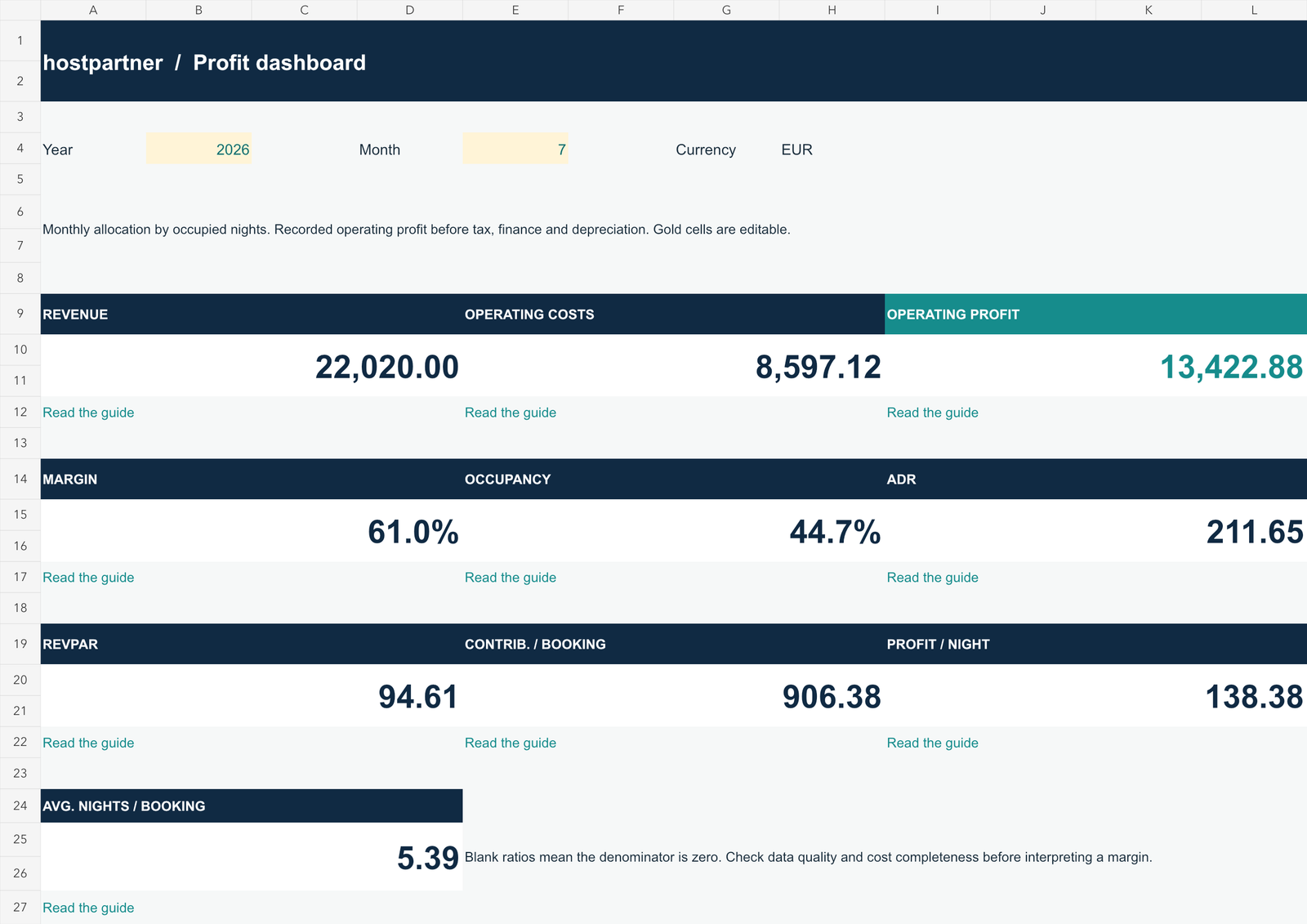
Bring recorded income and operating costs together. Review profit, margin and contribution per booking without building a spreadsheet from scratch.
Compare revenue, costs, profit and margin for the same month. Open the property view to explore an individual rental throughout the year.
Review occupancy, average daily rate and revenue per available night, then follow the linked guides to understand what to investigate.
In the fictional example, Marina Loft brings in €5,250 and records €2,541.25 in operating profit. Old Town House brings in €3,900 and records €2,605.50.
That is the kind of difference your dashboard helps you see.
Get the calculator and explore the numbers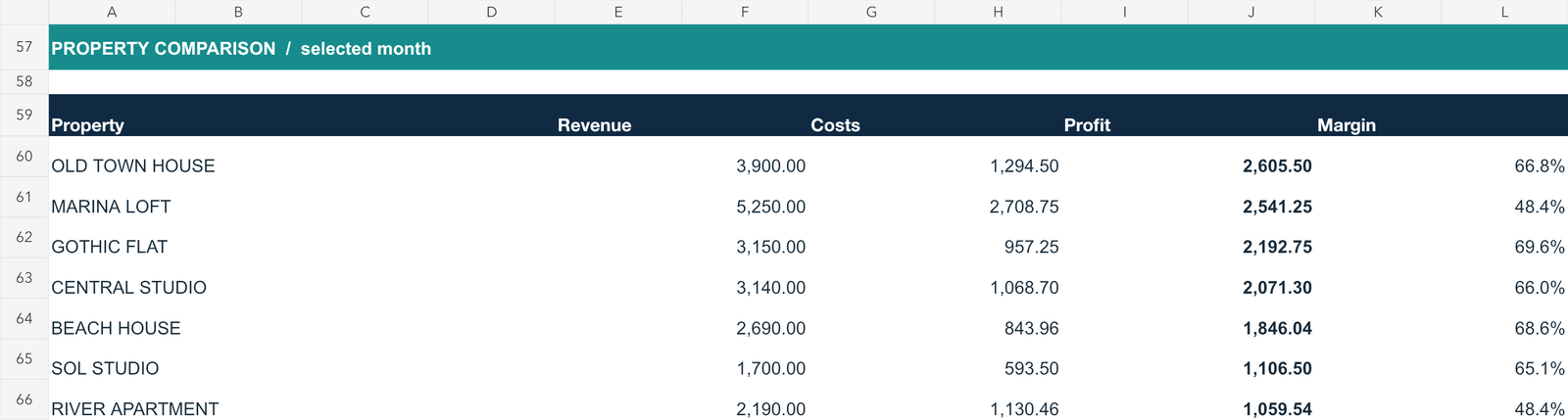
The Hostpartner Excel profitability calculator, an .xlsx workbook in English with 9 worksheets, editable inputs, calculations and fictional examples. It includes dashboard and property views, stays, expenses, availability, monthly data and links to practical guides.
Yes. Start by exploring the example data, then save a separate copy and replace the example inputs with your properties, stays and expenses. Gold cells are editable. The workbook supports 7 properties, 400 stays and 400 expenses, with one analysis year and one currency per file.
No. This is an Excel workbook with manual inputs, not a connected property management system. It does not automatically import reservations or expenses.
It shows recorded operating profitability, not cash flow or net income. Tax, VAT, financing, depreciation and accounting adjustments are outside its scope. Complete your costs and resolve data warnings before interpreting the results.
Follow the example. Add your numbers. See what your rentals contribute.
Get my free profitability calculator Free .xlsx download · No payment details needed